What Are the Top Smart Locker Lock Types in 2026?
Smart lockers have become practical infrastructure for apartments, workplaces, campuses, and delivery hubs. Their reliability depends on a small component: the lock. A Smart Locker Lock must balance secure access, quick handoffs, dependable power, and manageable maintenance. Those needs vary. A parcel room with constant traffic has different demands from a quiet office cabinet.
The scale is significant. Pitney Bowes’ 2024 Parcel Shipping Index reported 21.7 billion U.S. parcel deliveries in 2023. That figure signals operational pressure, but it does not prove that every site needs lockers. Fit matters. As security technologist Bruce Schneier puts it, “Security is a process, not a product.” His principle applies to lockers, where hardware, access rules, software, and upkeep work together.
In 2026, buyers may compare RFID and NFC readers, PIN keypads, Bluetooth or app-based credentials, and biometric options. Each brings trade-offs. A keypad is familiar, but shared codes can be difficult to manage. Mobile access can simplify credential updates, yet depends on connectivity and user devices. RFID cards offer quick taps, though lost cards require prompt deactivation. Biometrics may suit specialized settings, but add privacy and deployment considerations. Mechanical overrides matter, too. Small details matter.
This guide examines the leading smart locker lock types, their strengths, limitations, and best-fit settings. Rankings can be misleading without site context. That is worth remembering. The right choice depends on who uses the lockers, how often access occurs, and what happens when power or connectivity fails.
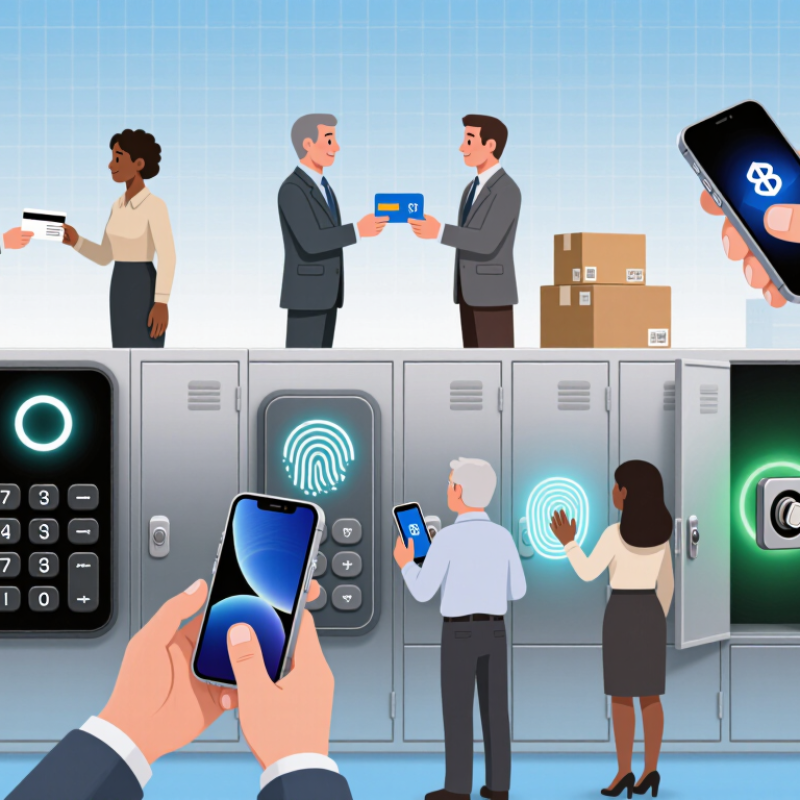
Smart Locker Lock Types in 2026: A Classification by Access Method
Smart locker locks in 2026 are easiest to classify by the credential a user presents. Keypad locks accept a PIN entered on a small panel. They suit shared rooms where users need quick, temporary access. Codes can be forgotten or observed, so screen placement and reset routines matter. Simple, but not foolproof.
RFID or NFC locks read a card, tag, or phone held near the reader. They make repeated access quick, especially in workplaces and gyms, though lost credentials need prompt deactivation. Mobile locks use Bluetooth, a network connection, or both. Bluetooth can work near the locker without a live connection; remote management usually needs connectivity. Biometric models check a fingerprint or another physical trait. They reduce the need to carry a credential, but wet fingers, sensor wear, and privacy expectations deserve attention. Convenience has trade-offs.
Some systems combine methods, such as card access with a PIN fallback, while mechanical keys may remain for service or power failures. That fallback is easy to overlook. A sound selection starts with who uses the lockers, how often credentials change, and whether staff can handle lockouts. Test the actual door, glove use, lighting, and battery alerts before deployment. A neat demo is not the whole story.
Keypad Locks: 10,000 Possible Four-Digit PINs (About 13.3 Bits)
A four-digit keypad gives a locker 10,000 possible PINs, from 0000 to 9999. If every code were equally likely, that equals log₂(10,000), or about 13.3 bits of uncertainty. The calculation is useful, but it assumes users choose randomly. They often do not. Familiar patterns such as 1234 or repeated digits are easier to remember—and easier to guess. On a busy site, a shared PIN written on a label can also undermine the keypad’s theoretical range. Small detail. Big difference.
NIST’s Digital Identity Guidelines, SP 800-63B-4 (2025), emphasize rate limiting to reduce online guessing attacks. For smart lockers, that makes attempt limits, brief delays, and clear reset procedures important design considerations. A four-digit PIN may suit quick, low-friction access, but the number of possible codes alone does not establish security. Check how the lock handles repeated failures, whether PINs expire, and how access changes when users leave. These features vary by system, and a delay that is too strict can frustrate legitimate users. That trade-off deserves testing with real users, not just a spec sheet.
What Are the Top Smart Locker Lock Types in 2026? - Keypad Locks: 10,000 Possible Four-Digit PINs (About 13.3 Bits)
| Lock type | Typical credential | Credential space or access method | Main advantages | Considerations |
| Keypad PIN | Numeric code | A four-digit PIN using 0000–9999 has 10,000 possible combinations, or about 13.3 bits if each is equally likely. | No physical key or phone is required; codes can be shared or changed on compatible locks. | Security depends on PIN choice, attempt limits, lockout features, and code-management practices. A short PIN has a limited search space. |
| RFID or NFC credential | Card, fob, or compatible device | Access is granted when the reader recognizes an enrolled credential; security depends on the credential technology and system configuration. | Quick, contactless access; credentials can be assigned or revoked in systems that support administration. | Users need a compatible credential. Lost cards or fobs should be deactivated, and not all RFID technologies offer the same security. |
| Bluetooth mobile access | Authorized smartphone or mobile credential | The lock authenticates a credential over a short-range wireless connection; exact features vary by lock and access system. | Can support digital credential sharing and user-specific access without handing out a physical key. | Requires a compatible phone and functioning batteries. Setup, phone permissions, and credential recovery need consideration. |
| Fingerprint biometric | Enrolled fingerprint | The reader compares a scan with enrolled biometric data; performance depends on the sensor and implementation. | Convenient access without remembering a PIN or carrying a card. | Wet, dirty, or worn fingers can affect scanning. Consider a backup access method and how biometric data is stored and managed. |
| Network-managed electronic lock | PIN, card, mobile credential, or a combination | Credentials are managed through a connected access system; connectivity may be local, network-based, or both. | Can support centralized administration, access schedules, and activity records where the system provides those features. | Requires configuration and ongoing administration. Offline behavior, logging, and remote-management capabilities vary by system. |
| Mechanical key override | Physical key | Access is controlled by the lock’s mechanical key mechanism rather than an electronic credential. | Provides a non-electronic access option for compatible locks, including some battery or system failure scenarios. | Keys must be controlled and stored securely. It may not provide electronic access records or remote credential management. |
Note: Features and security controls vary by lock model and access system. The four-digit PIN count assumes leading zeros are allowed and each PIN is equally likely; real-world PIN choices are often not equally distributed.
RFID and NFC Locks: ISO/IEC 14443 Cards at 13.56 MHz
RFID and NFC locker locks use short-range radio to identify a card or compatible phone. Many operate at 13.56 MHz, the frequency used by ISO/IEC 14443 contactless cards. The standard describes communication between a reader and card, but it does not make every credential interchangeable. Check the lock’s supported card type before ordering; a card that fits the format may still not be accepted.
In daily use, a reader beside a locker door can unlock it within a second when the credential is presented correctly. Convenient, and easy to learn. Security depends on more than frequency: credential protection, key management, reader configuration, and the system that grants access all matter. Ask whether lost cards can be disabled promptly and whether offline locks record events for later review. Phone access also varies by device and setup, so test it with the phones people actually carry. One thing is easy to overlook: metal surfaces or poor reader placement can make tapping unreliable. The radio is only part of the experience. Even a well-designed installation may need adjustment after people start using it.
Bluetooth and Wi-Fi Locks: 2.4 GHz Bluetooth LE and IEEE 802.11
Bluetooth LE and Wi-Fi serve different needs in a smart locker lock. Bluetooth LE operates in the 2.4 GHz band and typically connects a nearby phone to the lock. Its low power use can help extend battery life, especially when lockers are opened often. Wi-Fi follows IEEE 802.11 standards; many locker locks use a 2.4 GHz network, though the standard also supports other bands. A Wi-Fi connection may enable remote status checks or management, depending on the lock’s design.
The trade-off is practical. A lock behind a metal locker door may have a weaker wireless signal, and nearby networks can add congestion in the 2.4 GHz band. Bluetooth may suit a single user standing at the locker, while Wi-Fi can help staff oversee multiple units from another location. Neither connection guarantees uninterrupted access. Check battery alerts, signal strength at the installed locker, and what happens during a router outage. Small details matter.
Tips: Test the actual locker location before installation. Keep the phone close when pairing over Bluetooth, and confirm the Wi-Fi network reaches the lock reliably. Don’t assume stronger convenience means better reliability; a simple access plan for connection failures is worth reviewing.
Biometric Locks: Fingerprint Performance Testing Under ISO/IEC 19795-1
A fingerprint locker lock is only as dependable as its sensor, matching software, and testing conditions. ISO/IEC 19795-1 provides a framework for evaluating and reporting biometric system performance. It is not a product approval or a guarantee that a lock will work equally well for every user. That distinction matters.
Testing should reflect real locker use. Participants can scan the same finger several times, with different finger placement and ordinary changes in moisture or skin condition. Record failed captures as well as successful matches. Measure false match and false non-match rates at a stated decision threshold; tightening that threshold may reduce mistaken acceptance but increase rejected users. Keep the test setup consistent, and report its limits. Real use is messier.
A useful evaluation also checks performance across a varied participant group, not just a small set of easy scans. Testers should document the sensor, enrollment steps, sample size, and conditions, so results can be interpreted and repeated. For example, a locker installed near a cold entrance may face different fingers and usage patterns than one in a climate-controlled office. A clean laboratory result is helpful, but it may not predict every field outcome. That gap deserves attention.
What Are the Top Smart Locker Lock Types in 2026? — Biometric Locks: Fingerprint Performance Testing Under ISO/IEC 19795-1
The chart shows an illustrative example of false non-match rate (FNMR) across fingerprint capture conditions; these values are not measured results, vendor data, or ISO/IEC 19795-1 thresholds. The standard provides a framework for biometric performance testing and reporting, rather than universal pass/fail limits. A real evaluation should document its participants, test conditions, sample sizes, and relevant error rates.